Scratch-style blocks
Motion, looks, sound, events, control, sensing, operators, variables, clones and “My Blocks”.
 BlocosIA Studio
Open the editor
BlocosIA Studio
Open the editor
Free for schools · nothing to install
A Scratch-style creative studio where students program the AI: they build games controlled by their hands, train models with the camera and microphone, chat with AIs and control robots. Right in the browser, in English, Portuguese and Spanish.
The blocks students already know, plus libraries, editors and extensions to go much further.
Motion, looks, sound, events, control, sensing, operators, variables, clones and “My Blocks”.
Brush, shapes, fill, text, selection with copy, paste and resize, masks, center of mass and an editable collision area.
Over 70 sounds, microphone recording, audio from your PC or a link, effects and instruments.
Animated characters, objects, letters, numbers, icons and dozens of original backdrops.
Save to the cloud with Google and publish to the Explore gallery. Classmates can test and copy it without touching the original.
Bot protection, content filters in generative AI and local processing by default.
New in version 5
More stages, game maps, robotics, digital security and tutorials that check themselves.
Step-by-step missions for kids: each task checks itself when the student gets it right.
Build stories and games with scenes, like chapters, and switch stages with a block.
Touch, swipe, multi-finger and tilt events for phone and tablet projects.
Face, iris and voice recognition: enroll, compare and understand thresholds and false positives.
Copy and paste, resize, center of mass, non-destructive masks and polygon collision areas.
“Count from… to… step” with a stop condition, “while” and clones at any position.
Automatic light mode for slow computers and a bridge for GPIO and computer vision on the Raspberry.
Export the project with the trained AI models embedded: it runs without internet.
Map editor with a ready tileset or your own: ground, platforms, coins, spikes and a goal flag.
The camera follows the hero and layered backgrounds move at different speeds for depth.
Turn a sprite into a solid barrier (like in Construct 3) and know if the touch was on top, bottom or the sides.
Explosions, particles, fire, confetti and characters that run, fly and jump, ready to use.
Build your robot in the editor (shapes, wheels and as many sensors as you want), draw tracks with curves, crossings and green markers and follow lines like in RoboCup.
Every sprite has a temperature and a mass: heat and weight sensors for experiments and rescue robots.
Export a .zip ready for itch.io, Game Jolt and Newgrounds, with icons, cover, credits and touch buttons.
Use your own pictures as map tiles and parallax layers, on each stage and backdrop.
Here the AI doesn't do the work for the student: it becomes a tool they understand, train and control with blocks.
Detects motion and direction over each sprite by comparing camera frames.
21 points per hand, gestures, raised fingers and pinch to draw in the air.
Nose, eyes, smile, open mouth, blinks and head tilt.
Create classes, record image or sound examples and watch the AI's confidence live.
Speak text, recognize spoken commands and build robots that obey.
Chatting characters and quizzes. Without signing in, the model runs in the browser.
Describe it and the AI draws costumes and backdrops for the project (sign-in required).
Speed, position prediction, follow and flee: the basis of AI games.
Connect the board over USB or Bluetooth and program it with the same blocks. No drivers and no extra software in Chrome or Edge.
Open it, click the green flag and then change the blocks to create your own version.
The AI finds your fingertip and turns it into a magic brush.
Motion detector: wave your hands over the balloons.
A nose and glasses that follow your face and react to your smile.
Teach the AI to recognize your gestures.
Spoken commands move Bit the robot.
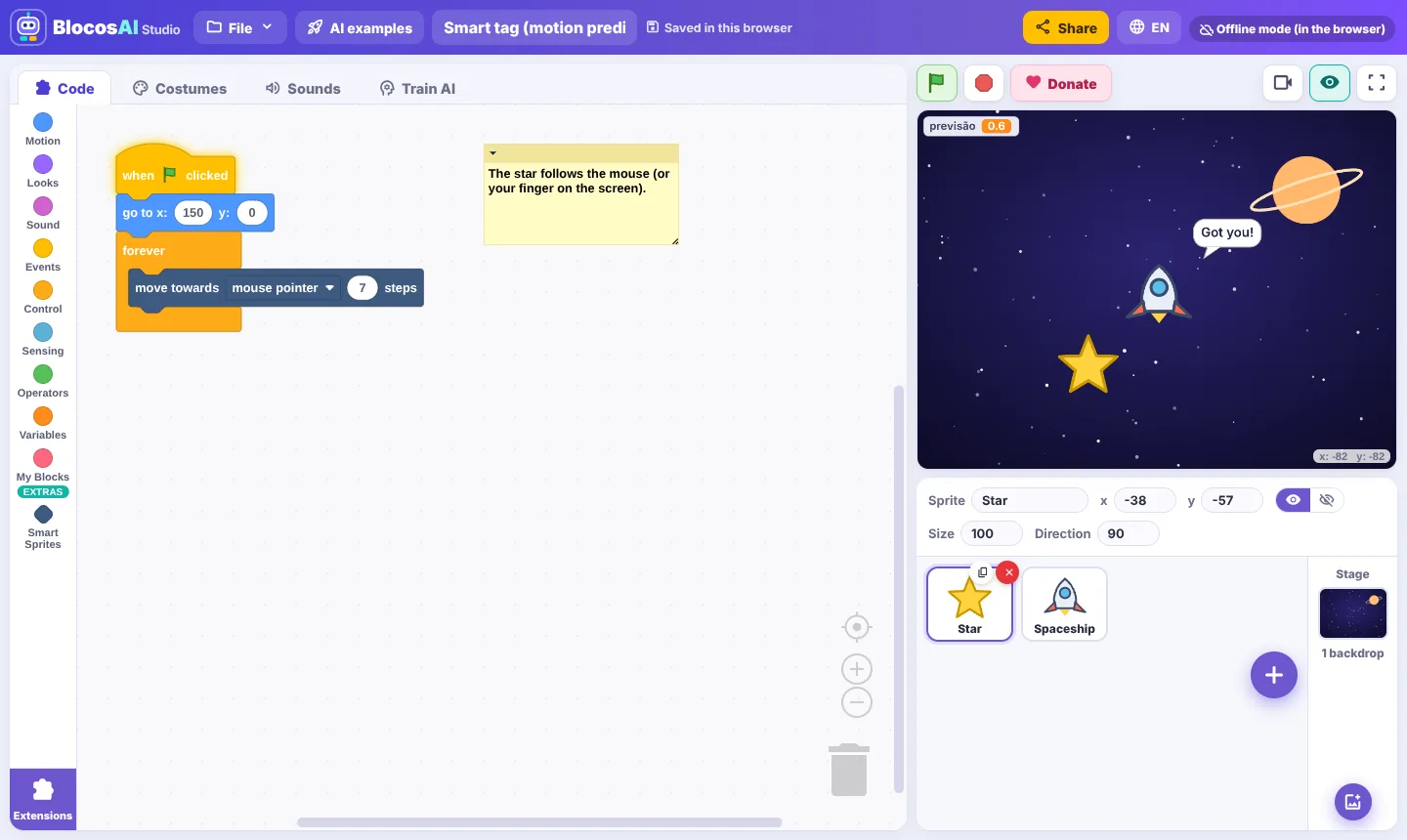
A spaceship that predicts where you're going.
Chat with a text AI that answers science questions.
Follows the line, avoids the obstacle, reads the green marker and finds the victim by heat.
Tile map, camera, parallax, coins, an enemy and jumping with gravity.
Score, lives, shooting, clones and rising difficulty.
Blink the LED and move the sprite by turning a potentiometer.
The accelerometer and buttons become a game controller.
Stops in front of obstacles and reacts to colors.
Drives, detects obstacles with the ultrasonic sensor and turns.
Projects shared by students and teachers. Open one to test it and make your own copy to remix.
Loading projects…
Built around computational thinking and digital literacy, with AI explained visually.
BlocosIA Studio is independent. A donation helps pay for servers and build new features for schools.
Make a donationAll coding and AI features are free. Pro unlocks unlimited cloud projects and HTML export.
R$ 0
R$ 19,90/month
Yes. All blocks, extensions and AIs are free for students, teachers and schools, and there is nothing to install. The Pro plan (R$ 19.90/month) is optional: it unlocks unlimited cloud projects and HTML export.
No. Without signing in, everything is processed in the browser and the project is saved on the computer. Signing in with Google lets you save to the cloud, share by link and use cloud generative AI.
No. Motion, hand and face detection and model training run on the device itself. Only the project is saved, and only when you choose to save to the cloud.
Coding works in a similar way, but BlocosIA Studio was made to teach Artificial Intelligence: it has computer vision blocks, image and sound model training, generative AI and robotics, in English, Portuguese and Spanish. It's not an official Scratch product.
Yes, over USB (or Bluetooth for the EV3) using Google Chrome or Microsoft Edge on a computer. Arduino uses StandardFirmata; micro:bit and LEGO SPIKE Prime use MicroPython.
No. Shared projects are public in the Explore gallery: anyone can test them and make a copy, but only the author edits the original.
Yes. On slow computers the editor turns on “Light mode” automatically (lower stage resolution and fewer effects); you can also toggle it in the stage format button. On a Raspberry Pi, the Raspberry Pi extension controls the GPIO pins and the camera through a small Python bridge.
No: it is educational. It helps students understand enrollment, comparison, similarity, thresholds and false positives, great digital security topics. Everything runs in the browser and enrollments stay inside the project.
It creates a single .html file with the project and the BlocosIA engine that runs on its own in any browser or inside an app (Android and iOS WebView), without the editor and without a server.
Open the editor and make your first AI project in minutes.
Open BlocosIA Studio